





Word Count: Approximately 1,300 words
Estimated Reading Time: 7 minutes
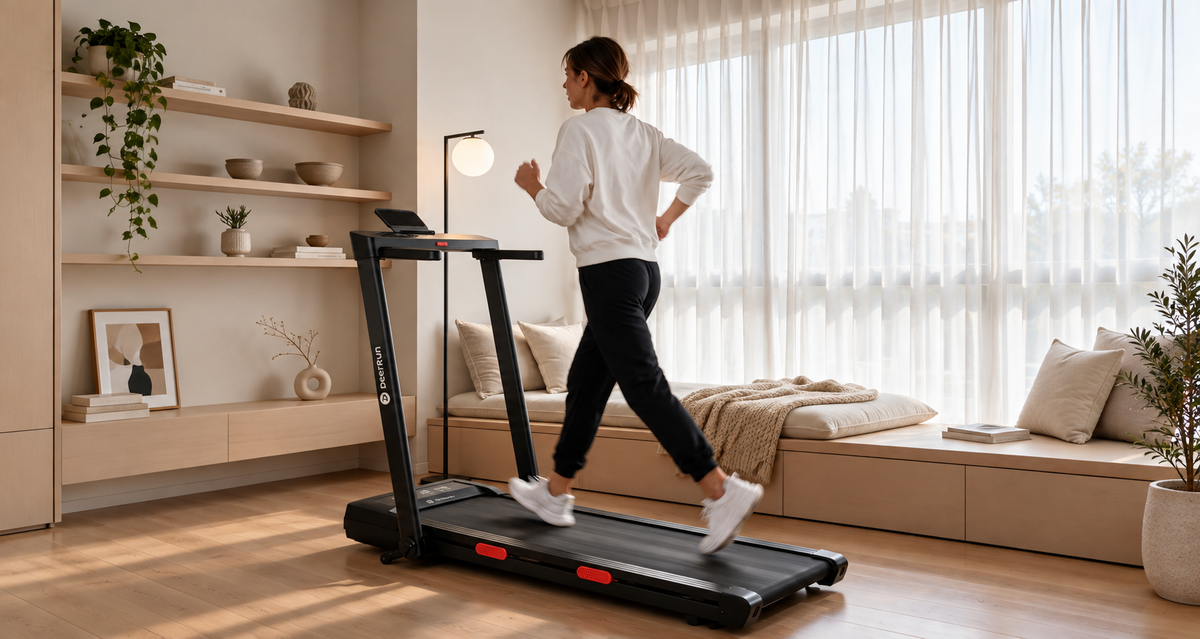
Imagine running at home while your phone connects to PitPat to track your workout. Meanwhile, someone else in your household is working on a laptop or watching TV.
You might wonder: Could your smart treadmill's Bluetooth connection interfere with your home Wi-Fi or other electronic devices?
Bluetooth and Wi-Fi can generally operate at the same time. However, excessive electromagnetic interference from electronic equipment may affect the performance of nearby devices.
That's why third-party wireless compliance testing matters. It evaluates whether a device meets applicable requirements for radio emissions and electromagnetic compatibility, helping reduce the risk of unnecessary interference with other electronics.
For households using smartphones, computers, and smart fitness equipment together, these evaluations provide an additional reference when choosing a home treadmill.
1. How Smart Treadmills Make Everyday Workouts More Convenient
A smart treadmill connects to your phone, allowing you to track workout time, distance, and other exercise data through an app.
For example, you might run for 20 minutes on Monday, 25 minutes on Wednesday, and complete an incline workout over the weekend.
Instead of manually recording every session, you can review your workout history in the app and track your progress over time.
However, Bluetooth and some Wi-Fi networks operate on nearby or overlapping frequency bands.
If your phone is too far from the treadmill or several wireless devices are operating nearby, you may occasionally experience connection interruptions.
An occasional connection failure doesn't necessarily mean your treadmill is defective. Start by checking the distance between devices, Bluetooth settings, and the surrounding wireless environment.
2. How RED Wireless Compliance Testing Supports Smart Device Use
2.1 Why Electromagnetic Compatibility Matters When Multiple Devices Are Running
Picture a typical evening at home.
You're running in the living room with PitPat connected to your phone. A family member is attending a video meeting on a laptop, while the television is streaming a show.
All these electronic devices need to function in the same environment.
That's why it's worth considering whether the electromagnetic interference generated by wireless equipment stays within applicable limits.
Electromagnetic compatibility (EMC) testing generally evaluates two important aspects:
- Whether a device produces electromagnetic emissions within specified limits.
- Whether the device can meet applicable performance requirements when exposed to certain levels of external electromagnetic interference.
For home users, these evaluations help reduce the risk of unnecessary interference between electronic devices.
2.2 DeerRun's Third-Party Wireless Testing: A Closer Look at Compliance
When using a smartphone, computer, and smart treadmill at home simultaneously, one common concern is whether wireless signals might interfere with one another and affect normal operation. That's why, beyond convenient smart connectivity, it's also important to check whether a device's wireless emissions meet applicable regulatory requirements.
DeerRun's relevant wireless equipment has undergone third-party testing by SGS, focusing on compliance with applicable EU standards for radio emissions and spectrum usage. The testing was conducted by SGS Guangzhou Laboratory, under Report No. GZCR260700134503, dated September 15, 2026, with an overall result of PASS.
These results confirm that the tested equipment met the applicable wireless emission requirements, helping reduce the risk of interference caused by non-compliant radio transmissions. They also provide consumers with more concrete information about wireless compatibility when multiple electronic devices are used in the same household.

3. How the DeerRun Z10 Pro Makes Home Workouts More Flexible
The DeerRun Z10 Pro combines PitPat App connectivity, a 12% automatic incline, and a foldable design.
According to the current US product listing for the black model, it has received 230 customer reviews, including 180 five-star ratings.
For users who want to track workouts, explore different training options, and exercise at home, the Z10 Pro offers several practical features.
3.1 Connect to PitPat and Track Your Workout Progress
If you run three or four times a week, keeping track of every session manually can become inconvenient.
With the PitPat App, you can review your workout history, including how long you've exercised and the distance you've covered.
This makes it easier to compare sessions and see how your routine changes over time.
Verified customer @Connie H. shared her experience as a first-time treadmill buyer.
In her review titled "Just what I was looking for!", she wrote:
"This is my first treadmill purchase and it has all the features I was looking for. Easy to use and store."
She also highlighted the app and setup process:
"I like the PitPat app that you can use with it also. The only set up was to secure the arms to the treadmill."

For someone purchasing their first smart treadmill, straightforward setup, convenient storage, and easy access to workout records can make the experience much simpler.
3.2 A 12% Automatic Incline Adds More Variety to Indoor Workouts
The Z10 Pro supports speeds of up to 7.5 MPH and features a 12% automatic incline.
When you want a more challenging workout, you can adjust the incline without repeatedly stopping the treadmill to make manual changes.
For example, you could try this simple incline walking routine:
| Workout Stage | Duration | Suggested Activity |
|---|---|---|
| Warm-Up | 5 minutes | Walk on a flat surface |
| Main Workout | 10–15 minutes | Gradually increase the incline to a comfortable level |
| Cool-Down | 5 minutes | Lower the incline and slow your pace |
Verified customer @BROOKE particularly appreciated the treadmill's convenience and incline feature.
In her review titled "LOVE", she wrote:
"I love my treadmill, I use it every day, it is so convenient, the incline is great, wonderful product!"

For people who don't want to repeat the same flat walking or running routine every day, an automatic incline provides more flexibility when planning workouts.
3.3 Foldable Design for Homes With Limited Space
A treadmill doesn't have to occupy your living room all day.
The DeerRun Z10 Pro features a foldable design that makes storage more practical when the machine isn't in use.
Its dimensions are:
| Measurement | DeerRun Z10 Pro |
|---|---|
| Unfolded Dimensions | 51.34"L × 26.77"W × 47.01"H |
| Unfolded Footprint | Approximately 9.54 sq. ft. |
| Folded Dimensions | 54.41"L × 26.77"W × 5.63"H |
| Folded Thickness | Approximately 5.63 inches |
For households without a dedicated home gym, the treadmill can be folded and stored according to the manufacturer's instructions after a workout.
Before purchasing, measure both your intended workout area and your available storage space.
This helps ensure the treadmill fits comfortably when fully unfolded and when stored away.
4. How to Troubleshoot Smart Treadmill Connection Problems
If your phone has trouble connecting to your treadmill, start with a few basic checks.
| Common Problem | What to Check |
|---|---|
| Phone cannot find the treadmill | Make sure Bluetooth is enabled and the treadmill is ready to connect |
| Connection drops during a workout | Check whether the phone is too far away or whether objects are blocking the signal |
| Workout records are not appearing in the app | Check the connection status and any synchronization notifications |
| Repeated connection failures | Turn your phone's Bluetooth off and back on, close and restart the PitPat App, and make sure the treadmill is powered on and your phone is close to the device. Then reopen the app to search for the treadmill and pair it again. |
These checks can help identify common connection issues before you assume there's a problem with the treadmill itself.
5. FAQ: Common Smart Treadmill Wireless Connection Questions
Q1. Why Can't My Phone Find the Treadmill Even Though Bluetooth Is Turned On?
The treadmill may not be in pairing mode, the app may not have the necessary permissions, or your phone may be too far from the device.
First, make sure the treadmill is powered on, check the Bluetooth permissions for the PitPat App, and then follow the in-app instructions to reconnect.
Q2. If My Phone Disconnects During a Workout, Will My Previous Workout Data Still Be Saved?
That depends on how the treadmill and app store and synchronize workout data.
Try reconnecting to PitPat and checking whether the current session has been saved.
If the record doesn't reappear, contact DeerRun customer support for assistance rather than immediately assuming the data has been lost.
Q3. If Multiple Family Members Use the Same Smart Treadmill, Will Their Workout Records Get Mixed Together?
If several household members want to track their own workouts, it's best to use separate PitPat accounts and switch connections according to the device's supported procedures.
Whether workout records can be automatically assigned to individual users depends on the current app features.
6. Conclusion: Smart Connectivity Is Convenient, but Wireless Compliance Matters Too
When choosing a smart treadmill for home use, app features are only one part of the decision.
It's also worth checking whether the manufacturer provides third-party wireless compliance information, along with considering the treadmill's everyday connectivity and ease of use.
DeerRun places importance on smart fitness features and relevant wireless safety requirements.
With PitPat workout tracking, a 12% automatic incline, and a foldable design, the Z10 Pro offers more ways to enjoy indoor walking and running while fitting into everyday home life.
Track Every Step Forward. Make Home Workouts More Enjoyable.
From everyday walking to incline training, PitPat makes it easier to keep track of your workout progress and stay connected to your fitness routine.
Explore DeerRun Z10 Pro →


Leave a comment
This site is protected by hCaptcha and the hCaptcha Privacy Policy and Terms of Service apply.