





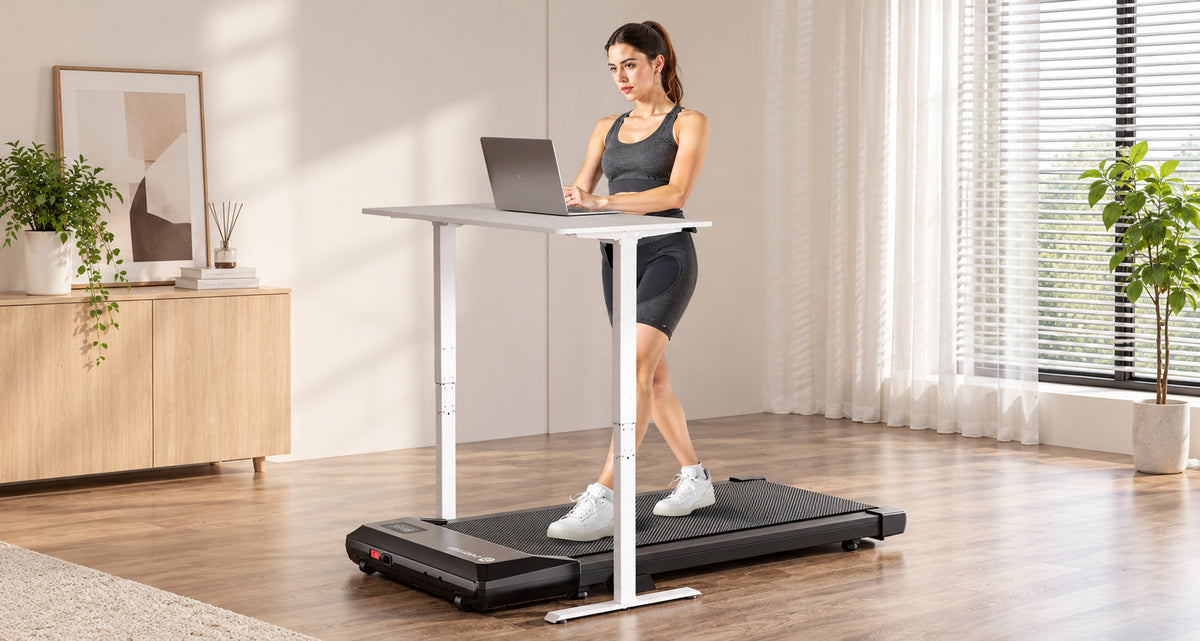
Working from home, you may want to sneak in a few steps while replying to emails or tackling routine tasks. But you’re probably worried: once the walking pad starts moving, will your body rock, your desk shake, and typing become a hassle? You hoped to add more movement to your workday, yet fear walking will hurt your productivity — so you end up leaving your walking pad untouched.
The truth is, whether walking while working feels comfortable depends on more than just the pad’s speed. Your natural body movement as you step, the stability of your desk, and the walking pad’s build and shock-absorbing design all shape how easily you can type and navigate your mouse. With the right equipment and a well-adjusted workspace, walking can fit seamlessly into your workflow instead of disrupting it.
1. Why do you keep making typos when walking and typing? Two main culprits
1.1 Your walking rhythm affects hand control
Your center of gravity shifts with every step you take. If you’re new to walking while working, coordinating your gait with keyboard and mouse inputs takes practice.
At faster speeds or with longer strides, your body moves more noticeably. This may not create dramatic wobbling, but it can lead to typos, imprecise mouse movements, or extra mental effort to follow your screen.
That’s why walking while working is best started at low speeds for lighter tasks like replying to emails or reading documents. Once you grow comfortable with the pace and workflow, you can tweak things gradually.
1.2 Desk stability and placement matter just as much
If your desk shakes noticeably as you walk, your movement is not the only factor. Check whether your desk itself is sturdy.
Wobbly legs, loose tabletops, uneven flooring, or an unstable surface under your walking pad all contribute to that shaky feeling. Placing your keyboard too far out of reach so you cannot support your arms naturally also makes typing uncomfortable.
Try this simple test: before turning on the walking pad, use your keyboard and mouse to see if the desk already wobbles. Then start the pad at a low speed and watch whether shaking gets worse. This helps you tell whether the issue comes from your desk, the pad itself, or your walking rhythm.
2. How to cut down wobble and make typing easier while walking
You don’t need to commit to long sessions right away. Start with these small adjustments to find a rhythm that works for both your body and your job.
2.1 Start slow and find your work-friendly pace
If you’re trying this for the first time, begin at 1–1.5 mph. Use this speed for simple tasks such as reading or emailing to get used to the rhythm, then adjust based on how you feel. This is only a starting benchmark and will not work for everyone. If walking still distracts you from work, slow down further or pause.
2.2 Secure your desk and reposition your keyboard
If your desk shakes heavily while you type, confirm it sits level on the floor with solid legs.
Position your keyboard and mouse within easy reach. Keep your shoulders relaxed and avoid overstretching or leaning side to side to reach your inputs.
If you have an adjustable standing desk, tweak the height so your arms rest naturally on the keyboard while you walk. A stable desk and properly positioned peripherals make it far simpler to adapt to walking work.
2.3 Pick a smooth, shock-absorbent walking pad
Walking for office use is different from dedicated running workouts. You may use your pad for an hour or two each day, mostly moving slowly while handling work.
Beyond speed range, look for belt size, smooth operation, shock-absorbing construction, and comfort at low walking speeds.
If you plan to walk while working long-term, choose a walking pad built for casual daily home use that supports slow, steady walking.
3. DeerRun Q2 Urban: Make walking part of your everyday work routine
3.1 Compact build designed for home office use
If you want to add activity to your work-from-home schedule without disrupting your workflow, consider a walking pad built for casual indoor walking. The DeerRun Q2 Urban is engineered for daily home walking, with a compact footprint ideal for home offices and limited spaces.

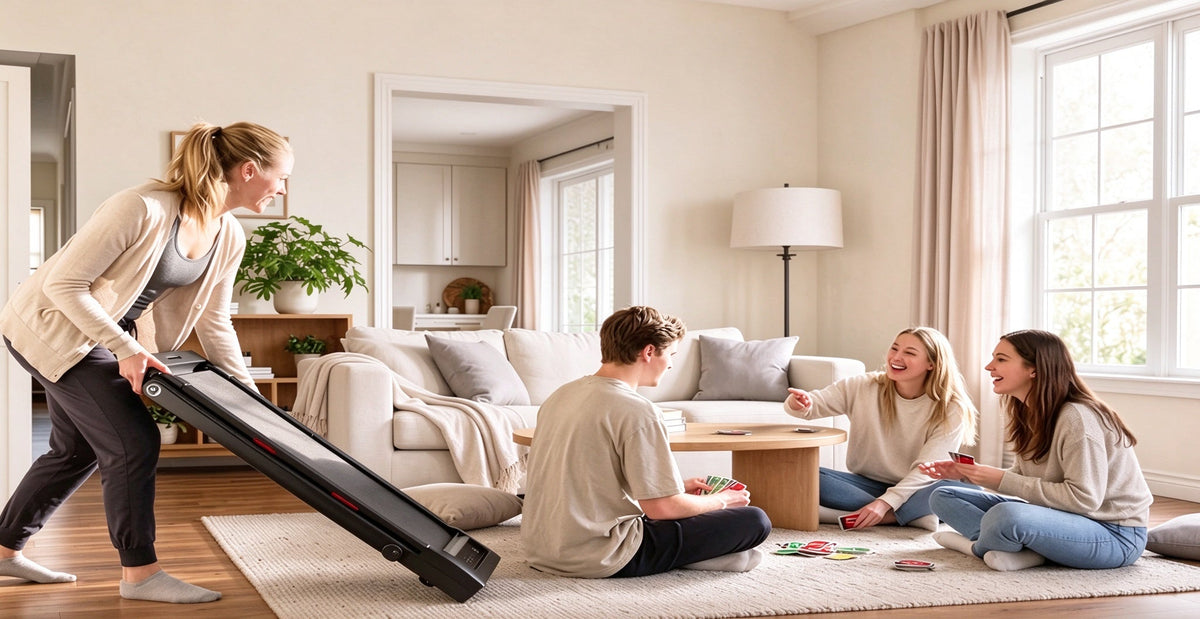
Its walking belt measures approximately 35.43 × 14.96 inches (90 × 38 cm), and the unit is only 3.94 inches (10 cm) thick, making it easy to place and store around your home. It features knee-friendly shock-absorbing construction. Its 5-layer composite cushioning belt absorbs impact with every step to soften vibration and reduce knee strain for a gentler indoor walking experience.
Finding the right pace, keeping a natural stride, and pairing the pad with a stable desk are key to balancing walking and working smoothly. Built for casual walking, the Q2 Urban has sold over 100,000 units and is a top pick for people wanting to fit more movement into their days at home.
One verified US buyer shared:
“I use it during work to help me get my steps in and it works great. I was worried it would be too short for me because I’m pretty tall but it’s the perfect size.”

Anonymous was initially concerned the belt would be too short for his tall frame, but found the dimensions fit well. He was thrilled he could combine work and movement effortlessly.
3.2 DeerRun Q2 Urban: Rigorous structural testing for reliable home walking
When you walk while working, the pad’s structural stability and ability to withstand regular use are important considerations. The DeerRun Q2 Urban has passed third-party SGS testing, with evaluations covering stability, static load capacity and long-term durability.

These tests go far beyond confirming basic functionality. Static load tests subject the pad to weights far heavier than typical everyday use to validate its load-bearing capacity. Durability testing runs repeated cycles to check performance under consistent use. Stability assessments also verify steady operation under specified conditions, with all tests marked as Pass.

These independent lab results give shoppers extra confidence beyond listed specs. Alongside belt size and feature sets, they show how the pad performs in stability, weight capacity and long-term reliability — critical points for anyone planning frequent home use.
Important note: Lab stability testing is not the same as desk vibration testing in your real home office. The wobble you feel during daily use still depends on walking speed, individual gait, desk build and where you place the pad.
4. Frequently Asked Questions About Walking Pads for Working While Walking
Q1: Can I use a regular desk with a walking pad?
Yes, but check the desk height and under-desk clearance first. When walking, you stand higher than you would while seated. Standard fixed-height desks will not fit everyone. Before use, confirm you can rest your arms naturally on the keyboard with relaxed shoulders, and that the pad fits neatly underneath with enough room to move. If the desk is too low or space is tight, an adjustable standing desk is recommended.
Q2: Will the walking pad’s noise disturb my home office work?
It will not disrupt typical home office use. The DeerRun Q2 Urban operates below 45 dB, suitable for casual indoor walking. For calls and video meetings, start at a low speed and place the pad on flat, solid flooring to minimize extra noise.
Q3: What speed works best for walking while working?
There is no universal speed for everyone. Start around 1–1.5 mph and find the pace where you can walk naturally, type accurately and stay focused. Slow down or pause for complex tasks.
5. Let walking fit into your workflow — not disrupt it
Working and moving at the same time does not require you to sacrifice productivity. A comfortable walking pace, adjusted desk and keyboard setup, and a walking pad built for casual daily use help you adapt to this routine.
If you’re shopping for a walking pad for your home office, the DeerRun Q2 Urban is a solid option for everyday walking. Build gentle movement into your workday instead of treating it as an extra chore, and you will be far more likely to stick with it.


1 comment
Lodonja A. fisher
Do you have a suitcase walking pad with handles attached?
Leave a comment
This site is protected by hCaptcha and the hCaptcha Privacy Policy and Terms of Service apply.