






Word Count: Approx. 1500 words | Read Time: About 7 minutes
How much walking is enough each day? When tracking daily activity, most people focus on two numbers: steps and distance.
Some people aim for 10,000 steps a day, while others care more about whether they walked 3 miles. But neither metric is automatically more important. They simply measure different parts of your activity.
Steps count how many times your feet hit the ground. Distance measures how far you actually traveled. Between the two is another important variable: stride length.
That means your step count and walking distance won’t always increase at exactly the same rate.
If your goal is to see whether you’re moving more throughout the day, daily steps are usually easier to track. If you want to measure a specific Walking Pad or treadmill workout, distance is often more useful.
And remember: 10,000 steps does not always equal 5 miles. Height, stride length, walking speed, and walking style can all change how much distance those steps actually cover.
1. Should You Track Steps or Distance? For Daily Activity, Start With Steps
One of the biggest advantages of tracking steps is that they capture all the small amounts of movement that happen throughout your day.
Walking to the parking lot in the morning, grabbing coffee during lunch, moving around the office, or taking a 20-minute walk after dinner may not feel like complete workouts on their own.
But they all contribute to your daily step count.
Each of these short walking breaks might add only a few hundred steps. Repeat them throughout the day, though, and they can add up to several thousand steps—even if no individual walk reaches a full mile.
So if your goal is to reduce sedentary time and increase daily physical activity, step count is often more useful than distance for understanding your overall movement habits.
That doesn’t mean you need to treat 10,000 steps as a mandatory daily target.
The Physical Activity Guidelines for Americans recommend that adults get 150–300 minutes of moderate-intensity aerobic activity per week, along with muscle-strengthening activity on at least two days per week. The guidelines do not set a universal number of steps everyone must complete each day.
In other words, a step tracker is better used to understand your current activity level, monitor changes, and set a goal that makes sense for you.
A 2017 review published in Sports Medicine also noted that steps are intuitive and easy to measure, making step counts useful for assessing everyday walking activity.
Instead of constantly asking, “Did I hit 10,000 steps today?”, it may be more useful to ask whether you’re walking more than you used to—or spending less of your day sitting.
2. When Should You Track Distance? For a Walking Pad or Treadmill Workout, Miles Can Be More Useful
If today’s goal is to walk on a treadmill for 30 minutes or complete 2 miles, distance gives you a clearer picture of that specific workout.
For example, two people can both walk 4,000 steps without covering exactly the same distance.
One person might walk close to 2 miles, while another may cover less.
The reason is simple: not everyone covers the same distance with each step.
For Walking Pad and treadmill workouts, distance can be especially useful for tracking questions like:
- Did you walk 1 mile or 2 miles today?
- Did you cover more distance during the same 30-minute workout?
- How many miles did you accumulate this week?
- If you’re training for a 5K, how much farther do you need to go?
A simple way to think about it is:
Daily Activity
Track steps.
Useful for seeing how much you move throughout the entire day.
Specific Workout
Track distance.
Useful for measuring a defined Walking Pad or treadmill session.
If your goal is to complete a defined workout duration or distance, it usually makes more sense to look at distance, time, and speed together rather than focusing only on your total daily steps.
3. How Many Miles Is 10,000 Steps? It Depends on Your Stride Length
There’s one important variable between steps and distance: stride length.
The farther you travel with each step, the fewer steps you need to cover the same distance. With a shorter stride, you’ll need more steps to travel that distance.
Using the common estimate of approximately 2,000 steps per mile, each step would cover roughly 2.6 feet, or about 80 centimeters.
But if someone’s stride is about 20% shorter than that estimate, the same 10,000 steps might equal closer to 4 miles instead of 5 miles.
That’s why these conversions should only be treated as quick estimates:
2,000 steps ≈ 1 mile
10,000 steps ≈ 5 miles
They are not fixed formulas that apply equally to everyone.
Imagine two people walking the exact same route. One takes a slightly longer step than the other. The difference may look insignificant at first, but after several thousand steps, it adds up.
Walking speed can affect the relationship between steps and distance as well. As you walk faster, your cadence may increase and your stride may naturally become longer.
So more steps don’t automatically mean more distance in every situation.

4. Why Do Your Phone, Watch, and Treadmill Show Different Numbers?
Here’s another common situation:
Your treadmill says 1.8 miles.
Your watch says 3,700 steps.
Your phone says more than 4,000 steps.
That doesn’t necessarily mean one of your devices is broken.
A treadmill typically measures distance based on belt movement, while smartphones and fitness watches use motion sensors and algorithms to estimate steps.
Because these devices measure activity differently, some variation is expected.
A 2020 scoping review published in the Journal of Physical Activity and Health examined 77 treadmill-based step-counting validation studies.
Among 11 studies covering walking speeds of 1.1–1.8 m/s, or approximately 2.5–4.0 MPH, wrist-worn devices had a weighted median absolute percentage error of roughly 7%–11%. Waist-worn devices were around 1%–4%, while thigh-worn devices were at or below 1%.
This suggests that both the type of device and where you wear it can affect step-count accuracy.
Another 2022 study involving 258 adults found that step-count accuracy declined substantially at very slow walking speeds, with device placement also affecting the results.
At speeds of 0.8–3.2 km/h (about 0.5–2.0 MPH), the average absolute percentage error across devices was around 40%. At more typical walking speeds of 4.0–6.4 km/h (about 2.5–4.0 MPH), the error was approximately 7%.
This is particularly relevant for people using an under-desk Walking Pad.
Walking Pads are often used at relatively low speeds, around 2.0–3.5 MPH. If you’re walking while working and your arms remain on your desk for long periods, it’s not unusual for your fitness watch and treadmill to report different numbers.
If your goal is to track long-term progress, try to use the same device, the same wearing position, and the same tracking method as consistently as possible.
That makes it much easier to identify meaningful trends than repeatedly comparing one workout across several different devices.
5. On a Walking Pad, Should You Track Steps, Distance, or Time?
If you regularly walk for 20–30 minutes on a Walking Pad for home fitness or office use, you don’t have to choose just one number.
Instead, choose the metric that best matches the type of walking you’re doing.
Easy Walking
Speed: 2.0–2.5 MPH
Time: 10–15 min
Track: Daily steps
Everyday Walking
Speed: 2.5–3.0 MPH
Time: 20–30 min
Track: Steps + distance
Brisk Walking
Speed: 3.0–3.5 MPH
Time: 20–30 min
Track: Distance + time
If you mainly use a Walking Pad while working from home, during work breaks, or for faster everyday walking, the DeerRun Q2 Urban supports speeds from 0.6–3.8 MPH, covering everything from low-speed walking to a brisker walking pace.
That makes it easier to use an under-desk treadmill or Walking Pad for different parts of the day rather than treating every walk as a formal workout.
When paired with PitPat, you can also view metrics such as steps, distance, and workout time together.
Instead of tracking only one number, you can see both how much more you moved today and how far you walked over the course of the week.

Steps vs. Distance: Choose Based on Your Walking Goal
If your goal is simply to move more throughout the day, start with steps.
If you’re completing a specific Walking Pad or treadmill workout, distance, time, and speed are usually more useful.
And when your steps and miles don’t seem to match, remember to consider stride length, walking speed, and differences between tracking devices.
Instead of constantly asking whether you should track steps or miles, start by deciding what you actually want to measure:
Daily activity → Track steps.
If you want to reduce sitting and increase daily activity, focus more on steps.
Specific workouts → Track distance.
If you want to complete a specific Walking Pad or treadmill workout, focus more on distance, time, and speed.
Long-term progress → Track consistent trends.
If you want to measure progress over several weeks or months, use the same tracking method consistently and focus on the overall trend.
Effective fitness tracking isn’t about finding one number that works for everyone. It’s about choosing a metric that matches your goal and that you can use consistently over time.
Make Every Walk Count
Track the numbers that matter to your goal and make regular walking part of your everyday routine.
Explore DeerRun Walking Pads →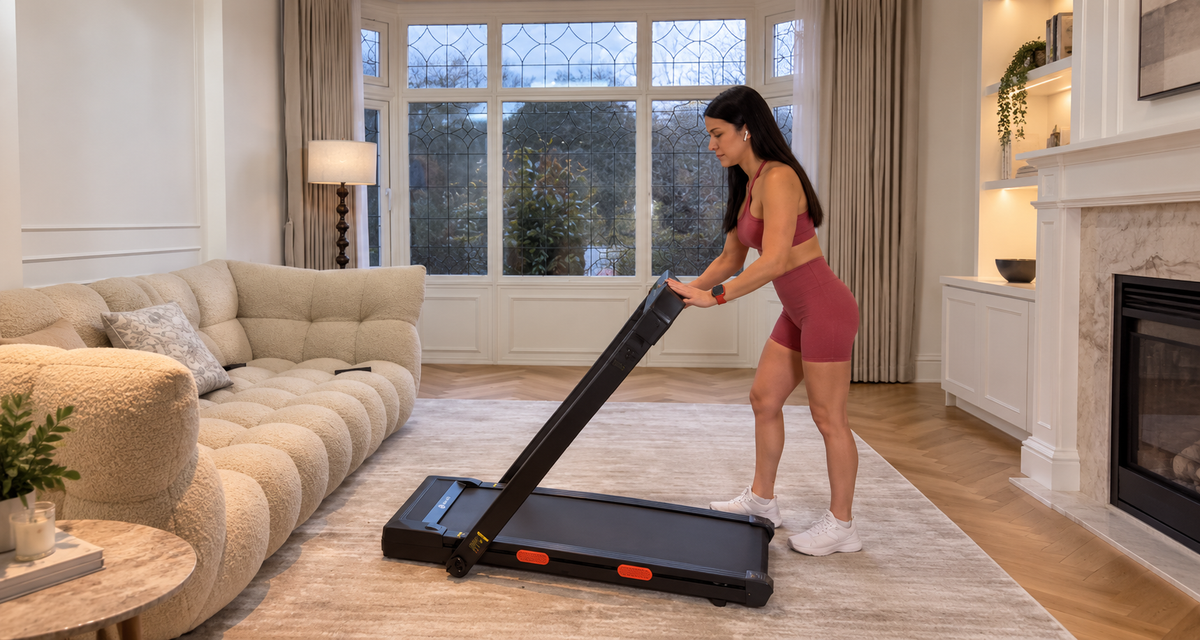


Leave a comment
This site is protected by hCaptcha and the hCaptcha Privacy Policy and Terms of Service apply.