





Word Count: Approx. 1,200 words | Reading Time: About 6 minutes
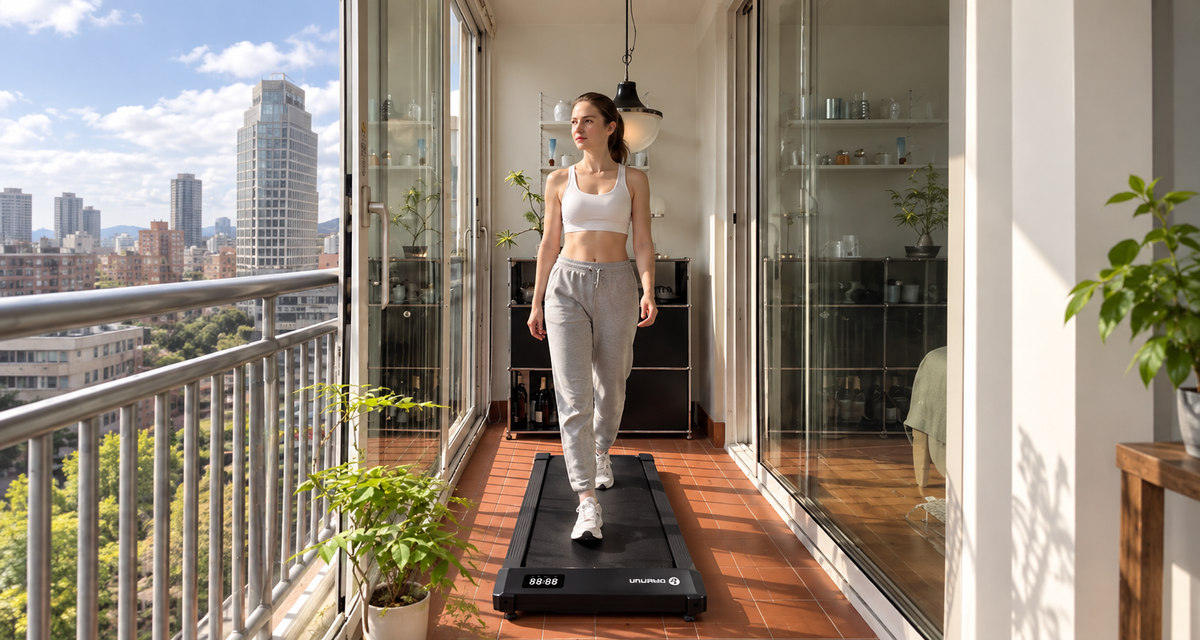
If you’re planning to put a walking pad under your desk, the most important question isn’t how fast it can go. It’s whether you can actually walk on it without disrupting your work.
For anyone who works from home, a good walking pad should get a few practical things right: it should feel comfortable and easy to control at low speeds, let you stand and walk naturally, stay quiet enough that it doesn’t become a distraction during meetings, and be easy to put away once the workday is over.
That’s exactly where the Q2 Urban fits in. Its speed range, dimensions, walking belt, noise level, and storage design are built around making movement easier to fit into your workday—not loading the machine with features you probably won’t use while working.
1. You Don’t Need a High Top Speed When You’re Walking While Working
For desk walking, a comfortable, controllable low speed matters much more than a high maximum speed.
If you’re answering emails, reading documents, or organizing your schedule, you probably don’t need to move very fast. In fact, walking too quickly can make it harder to type, focus on your screen, or use a mouse comfortably.
If you’re new to walking while working, start at around 0.8–1.5 MPH. Keep an easy pace while handling simple tasks, and slow down whenever your work requires more concentration.
The Q2 Urban has a speed range of 0.6–3.8 MPH, so you can start as low as 0.6 MPH. That makes it better suited to the kind of low-speed walking you’re likely to do at a desk.
During the workday, the speed you use most probably won’t be the maximum. What matters is finding a pace that lets you keep moving without making it harder to get your work done.
2. Fitting Under Your Desk Isn’t Enough—Its Height Matters Too
An under-desk walking pad needs to be compact, but it should also let you maintain a natural working position.
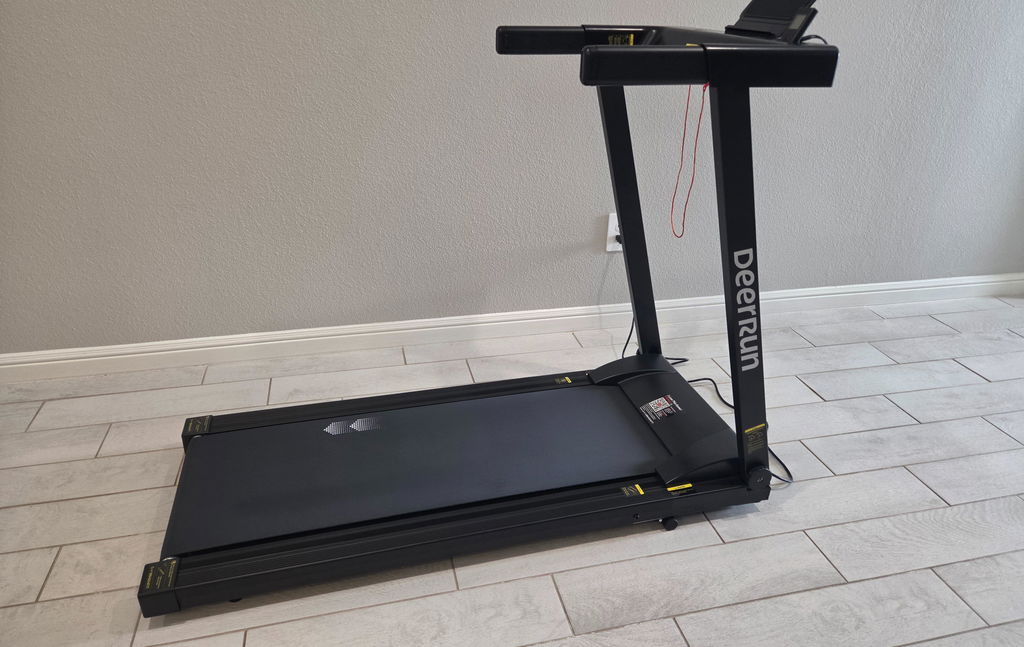
The Q2 Urban measures approximately 42.62"D × 19.69"W × 3.94"H, with a footprint of about 5.83 sq. ft. That’s roughly the amount of floor space taken up by a small coffee table.
At just 3.94 inches high, its low-profile design doesn’t add much height underneath a standing desk, making it easier to work it into an existing home office setup.
That low height has a simple advantage: when you step onto the walking pad, you’re not raised too far off the floor, so it’s easier to keep your desktop around a comfortable elbow height for typing and working.
When you’re finished, that same 3.94-inch profile also makes storage easier. You can make use of low-clearance spaces under a desk, under a bed, or near a sofa instead of permanently giving up a large section of the room to your walking pad.

3. If You’re Watching a Screen While Walking, the Belt Should Give You Room to Move Naturally
When you’re working, your attention won’t always be on your feet. That means the walking belt needs enough room for you to maintain a natural stride.
The Q2 Urban has a walking belt measuring approximately 35.43" × 14.96". At the lower speeds typically used while working, your stride is shorter, making this size suitable for most users.
That means when you’re reading your screen, typing, or using a mouse, you don’t have to constantly look down at your feet just to maintain a steady walking rhythm.
For WFH use, a bigger walking belt isn’t automatically better. What matters is whether you can keep walking naturally when your attention shifts back to your work.
That’s also why choosing an under-desk walking pad is different from choosing a traditional treadmill. You’re not trying to reach a faster running speed. You’re looking for a way to add movement without noticeably interrupting your workflow.

4. If You Want to Walk During Meetings, Noise and Speed Controls Can’t Be a Hassle
If you plan to use a walking pad during meetings, calls, or everyday desk work, noise and controls can make the difference between using it regularly and leaving it turned off.
The Q2 Urban has a rated operating noise level of under 45 dB, making it a better fit for home offices where background noise matters.
Actual noise will still vary depending on your walking speed, footsteps, shoes, and flooring, but a quieter machine is less likely to feel like another distraction in your workspace.
Controls matter for the same reason.
The Q2 Urban comes with a remote control. If a meeting starts, you can lower the speed. If you need to concentrate, you can pause. When you’re ready to move again, you can restart without repeatedly bending down to adjust the machine.
If you use PitPat, you can also keep track of your activity throughout the day. The point isn’t to make your walking pad more complicated. It’s to reduce the number of extra steps between working and moving.
Your workday keeps going. Walking simply becomes part of it.
5. Your 30 Minutes of Walking Don’t Have to Happen All at Once
If you’re just starting to bring a walking pad into your workday, you don’t need to jump straight into one long walking session.
Instead, try a simple 3 × 10-minute WFH walking routine.
Morning: 10 Minutes
Walk at an easy 0.8–1.5 MPH while answering emails, checking your schedule, or reading through simple materials.
Midday: 10 Minutes
Increase the speed to around 1.5–2.0 MPH. Step away from tasks that require intense concentration and simply walk, listen to something, or give yourself a short mental break.
Afternoon: 10 Minutes
Return to around 0.8–1.5 MPH and fit the session in before or after a meeting, while organizing tasks, or during other routine work.
Thirty minutes of walking in a day doesn’t have to happen in one session.
A walking pad that truly works for WFH should make those three 10-minute sessions easy to fit into your normal day.
6. When the Workday Ends, Your Walking Pad Shouldn’t Keep Taking Over the Room
If it’s easy to pull out during the day, it should be just as easy to put away at night.
The Q2 Urban takes about 5 seconds to go from storage to ready to use. When you get a short break and want to walk, you don’t have to spend several minutes rearranging your workspace first. Pull it out and start moving.
With a footprint of approximately 5.83 sq. ft. and a height of only 3.94 inches, it can be stored under a desk, under a bed, or near a sofa once the workday is over.
For WFH users, that kind of storage has a very practical benefit: during the day, it can be part of your workspace; after work, the room can go back to serving its usual purpose.
What you save isn’t just floor space. You also save those few minutes of setup every time you want to move.
7. DeerRun Q2 Urban Is Built Around the Things WFH Users Actually Need
If your main goal is walking while working from home or using a walking pad under a standing desk, the DeerRun Q2 Urban brings together the features that matter most in a WFH setup:
0.6–3.8 MPH speed range: Better suited to low-speed walking while answering emails, reading documents, or listening in on meetings.
35.43" × 14.96" walking belt: Provides a natural, stable walking area for low-speed desk walking.
3.94-inch profile: Easier to use under a standing desk and easier to store in low-clearance spaces under a bed, desk, or near a sofa.
5.83 sq. ft. footprint: Roughly the floor space of a small coffee table, so it doesn’t need to permanently take over a large part of your home office.
Under 45 dB rated operating noise: Better suited to meetings, calls, and everyday work-from-home environments.
Remote control: Makes it easier to adjust your speed or pause without repeatedly bending down during work.
Ready to use in about 5 seconds: Makes it easier to start walking during a short break and put the machine away again when the workday ends.
For WFH users, the Q2 Urban’s biggest advantage isn’t that it gives you more features. It’s that it makes walking while you work easier to actually do every day.
Bring More Walking Into Your Workday
Keep working as usual while making a little more room for movement.
Explore DeerRun Q2 Urban →


Leave a comment
This site is protected by hCaptcha and the hCaptcha Privacy Policy and Terms of Service apply.